
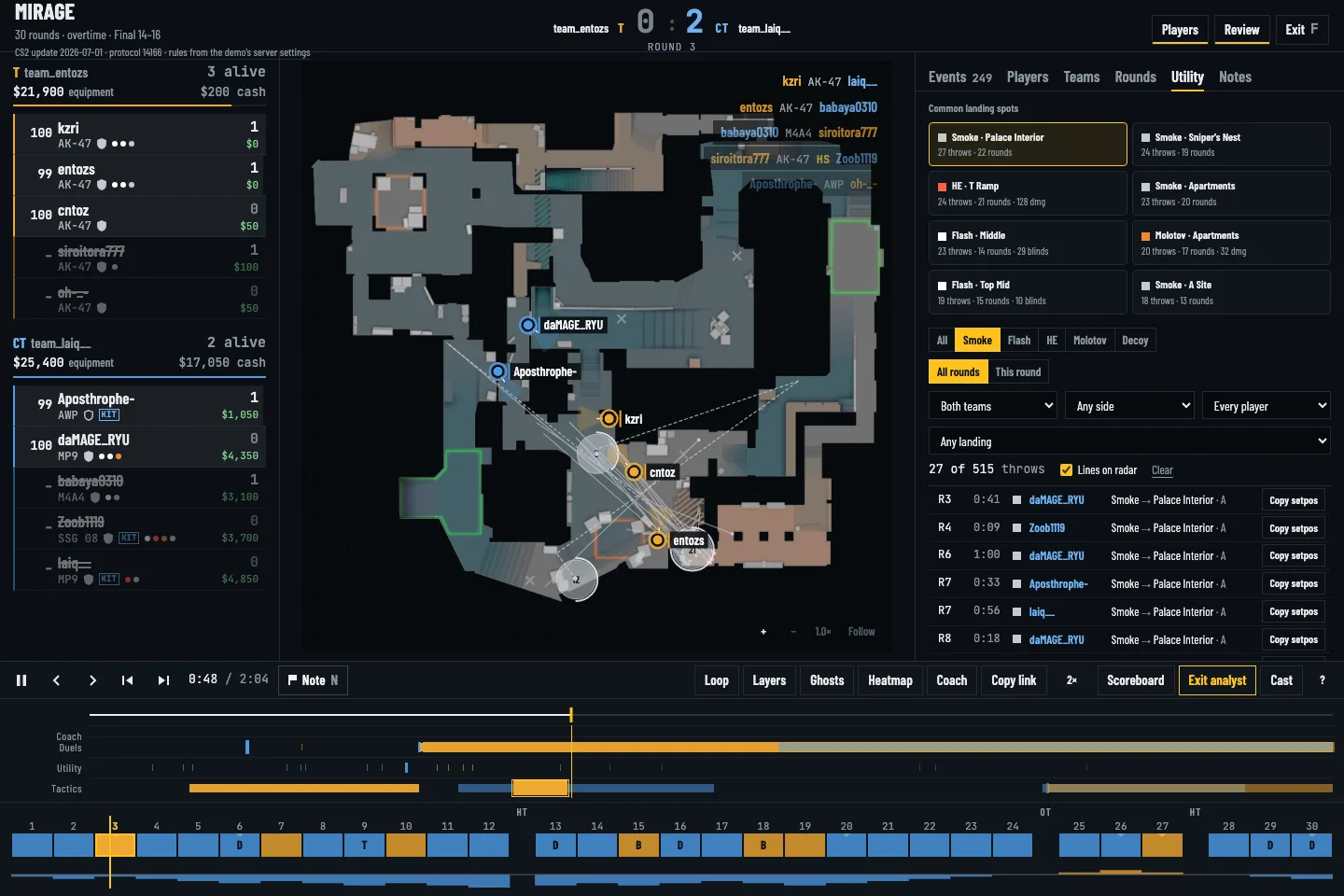
Filter by side, player and landing site
Open the Utility tab and narrow the list to a grenade type, team or player. Select a throw to jump to its tick. The radar draws the path and landing point when the demo contains a tracked projectile; a detonation with no trajectory can still appear without a lineup pose.
Check the timing around contact
Scrub several seconds before the throw and watch the clock, teammate positions and first damage. For a flash, compare the blind event with the entry's movement. For a smoke, check whether the gap it covered was still relevant when your team crossed.
Compare repeated rounds
Filter rounds with the same site hit and overlay grenade landing spots. A repeated miss may point to a lineup issue; a good landing spot with a late entry points to coordination. If a throw includes a recorded pose, Copy setpos gives a practice command. Verify the lineup in your own game before using it in a match.