
Where to find purchase history
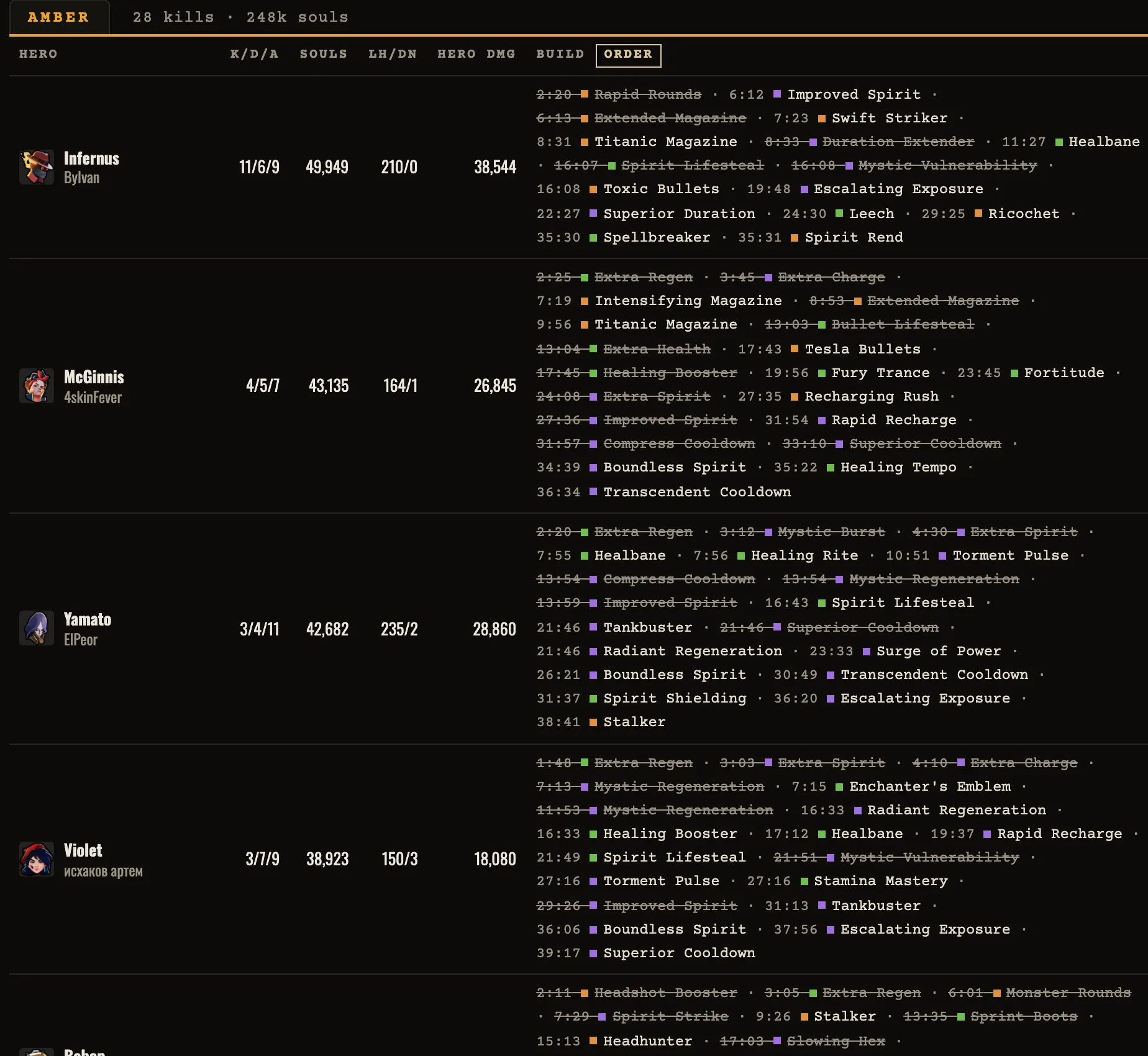
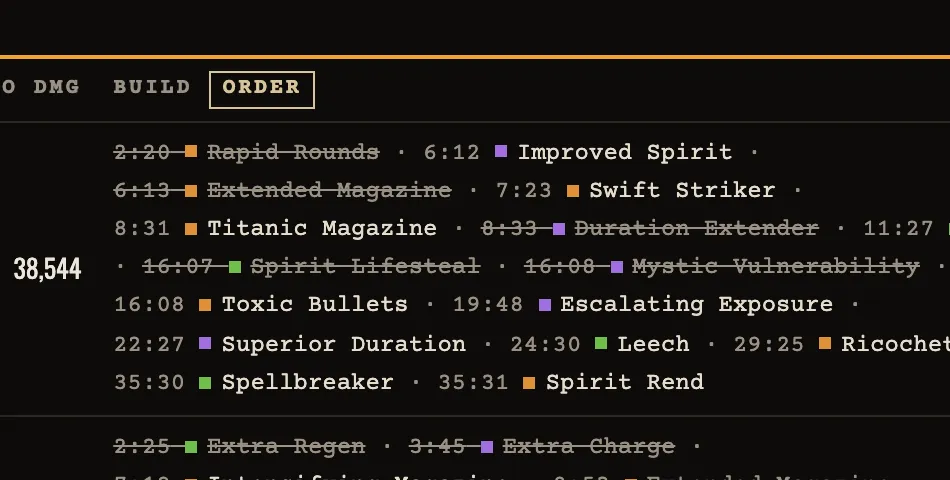
Open a saved replay and go to the scoreboard. The Build column starts with the items a player holds at the end. Select order to show the recorded purchases for all twelve players, each with its match time.
In the example, Infernus buys Rapid Rounds at 2:20 and Improved Spirit at 6:12. Rapid Rounds is struck through because it left the inventory later. The replay data cannot distinguish a sale from an item consumed by an upgrade, so the viewer labels that state sold or upgraded.
Compare decisions at the same minute
Choose a fight or objective on the timeline, then look at what both teams had bought by that time. A purchase made after the fight cannot explain it. Compare the player's souls, damage and role in the fight before treating one item as the reason for the result.
To review a player, pause the replay shortly before the purchase. Follow that hero on the map, watch the next engagement and check whether the souls gap changes. The order view makes the question specific: what changed between this fight and the previous one?
What the list cannot show
The viewer samples held items during replay parsing. Purchase times are close to the in-game events, but they are not shop receipts. A struck-out item only tells you that it was gone from a later inventory sample. Use the timeline and damage by source to check the surrounding play.